

If you are new here you may be wondering what PostPalMail actually does and how it can help your business. Perhaps someone shared the PostPalMail link with you. You discovered it while looking for a method to send emails to new customers. Either way, this guide explains everything in the simplest way possible no technical words, just plain talk, so you can understand exactly what you're signing up for before you start.
What is PostPalMail?
PostPalMail is an all-in-one platform that helps you do three things without switching between different tools:
- Find business email contacts from different countries and industries
- Send emails to those contacts directly from the platform
- Track who opened your email, who clicked and who replied.
Normally companies use one tool to find customers another tool to send messages and a third tool to see what happens next. That means paying for three services learning three different ways to use them and moving contact information from one tool to another by hand. PostPalMail brings all of that together in one spot so you save time save money and avoid the hassle of switching between apps.
Think of it this way: of using a phone book to find a number, a separate phone to make a call and a notebook to record who you spoke to you get one device that does all three. That's what PostPalMail does for email outreach.
Who is PostPalMail for?
PostPalMail is built for anyone who needs to reach new people by email, including:
- Sales teams looking for new customers
- Freelancers and agencies looking for new clients
- Recruiters looking for candidates
- Startups looking to reach investors
- Small business owners looking for local customers
You do not need any skills to use PostPalMail. If you can use email you can use PostPalMail. There is no coding, no setup and no need to hire someone to manage PostPalMail for you. Everything is designed around buttons and clear steps so a complete beginner can get a campaign running with PostPalMail on the same afternoon they sign up.
Why Not Just Use Your Normal Email Inbox?
You might be asking why not just use Gmail or Outlook directly? The answer is scale and safety. If you try to send 100 or 200 emails on your own from your email account some issues often come up:
- It takes hours of copying and pasting the same message over and over
- You have no way of knowing who opened your email or clicked a link
- You can't easily follow up with people who didn't reply
- Sending too many emails too quickly from a personal inbox can get flagged as spam
PostPalMail solves all of this. It sends your emails on your behalf using your connected account, spaces them out safely, tracks every open and click, and automatically follows up when needed things that are simply not possible to do by hand at scale.
What Can You Do Inside PostPalMail?
Here is a simple breakdown of the main things you can do, step by step:
1. Search for Contacts
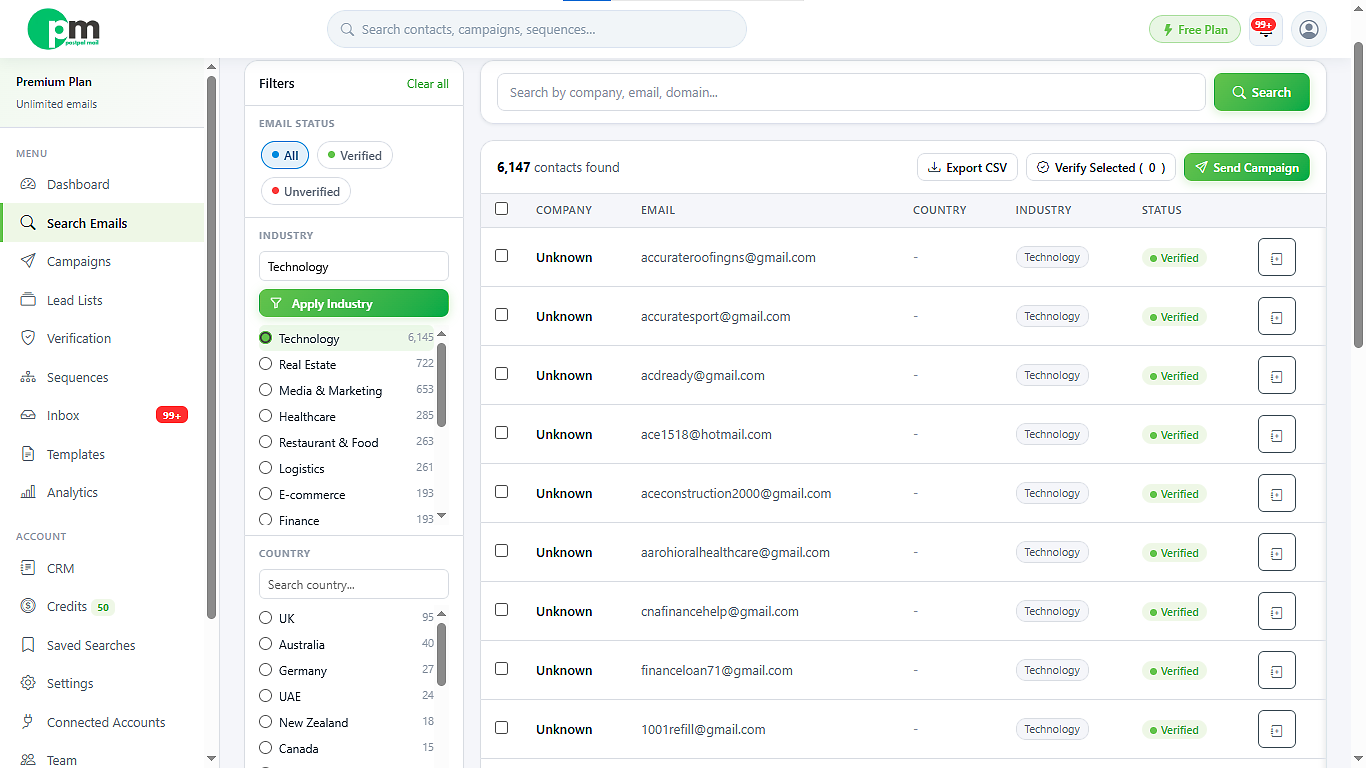
Use the Search page to locate business contacts. You can filter the results by keyword, country, industry and email status so you will only see business contacts that match the details you need. For example, if you are a freelance designer looking for restaurant owners, in Canada simply enter those filters into the search. The platform will present you with business contacts that match so you do not have to hunt for them across the internet manually.
2. Save Contacts into a Lead List
Once you find contacts you can put them into a Lead List. Think of a Lead List as a folder. In that folder you keep every contact you want to email. You can also add emails by hand if you already own a list or you can upload one from a spreadsheet. Keeping contacts in Lead Lists makes it easier to run different campaigns, for different audiences. Of mixing everyone together you keep each group separate.
3. Verify Emails Before Sending
Before sending anything, you can run your contacts through Email Verification. This process makes sure an email address is real and working so you don't waste your messages on addresses that will not receive them. Sending to a list filled with fake addresses not only uses up your time but can also damage your reputation as a sender. This step is more important than many new people understand.
4. Create a Template
Write your email once inside Templates. Then you can reuse that email for future campaigns. Add placeholders so each email looks personal, to the person receiving it for example automatically insert their name or the name of their company of sending the same generic message to everyone. A handy template saves you from rewritting the email every time you want to reach out to someone.
5. Connect Your Email Account
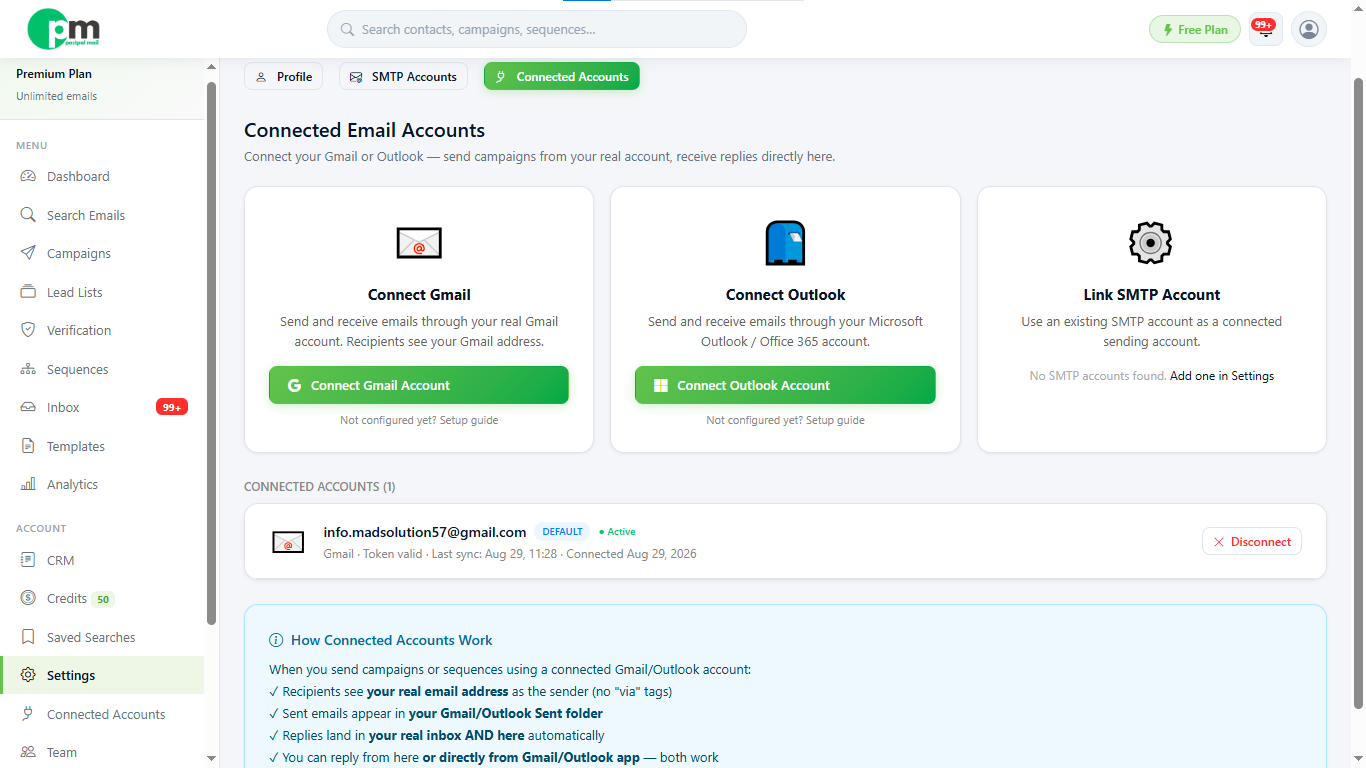
Go to Connected Accounts and connect your Gmail account or your Outlook account or your own SMTP account. This is the account that PostPalMail will use to send your emails. No emails get sent from an unknown address.
6. Send a Campaign
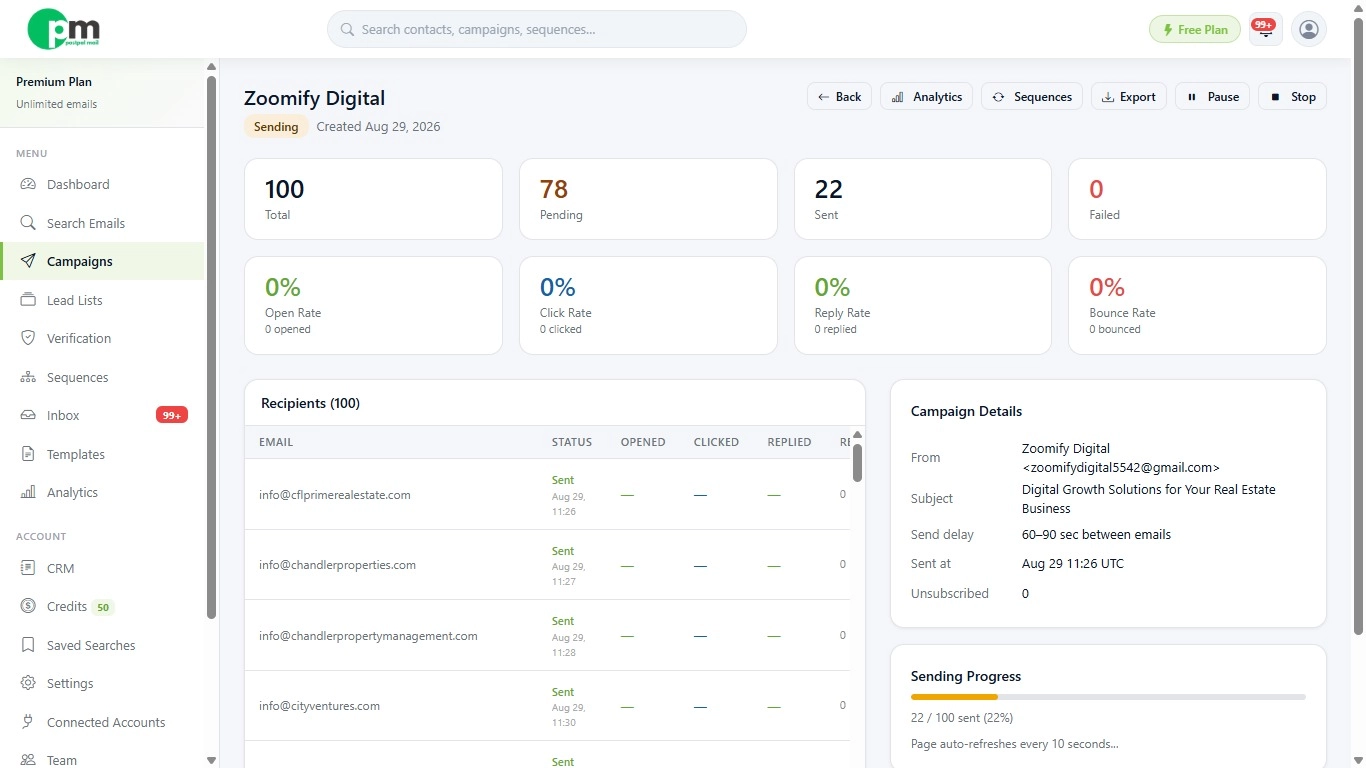
Go to Campaigns, pick your Lead List and your Template and hit send. When you send a batch for example 100 or 200 emails Campaigns runs safely in the background. That means you do not have to sit and wait for Campaigns to finish. You can close your browser get on with your day. The campaign will keep sending on its own.
7. Set Up Automatic Follow-Ups
Not everyone will reply to the first email. In fact, most people do not. With Sequences you can create follow‑up emails that are sent after a few days if a person does not open or reply. You do not need to remember to send those emails yourself. That single feature of Sequences is often what changes a campaign into one that really receives replies because most replies come from a second or third message, not from the first.
8. Check Replies in Your Inbox
All replies land, in your PostPalMail Inbox. You can reply directly from the PostPalMail Inbox without opening a separate email app. Drafts, sent messages and even spam is organized in one place so you always know where a conversation stands.
9. Track Your Results
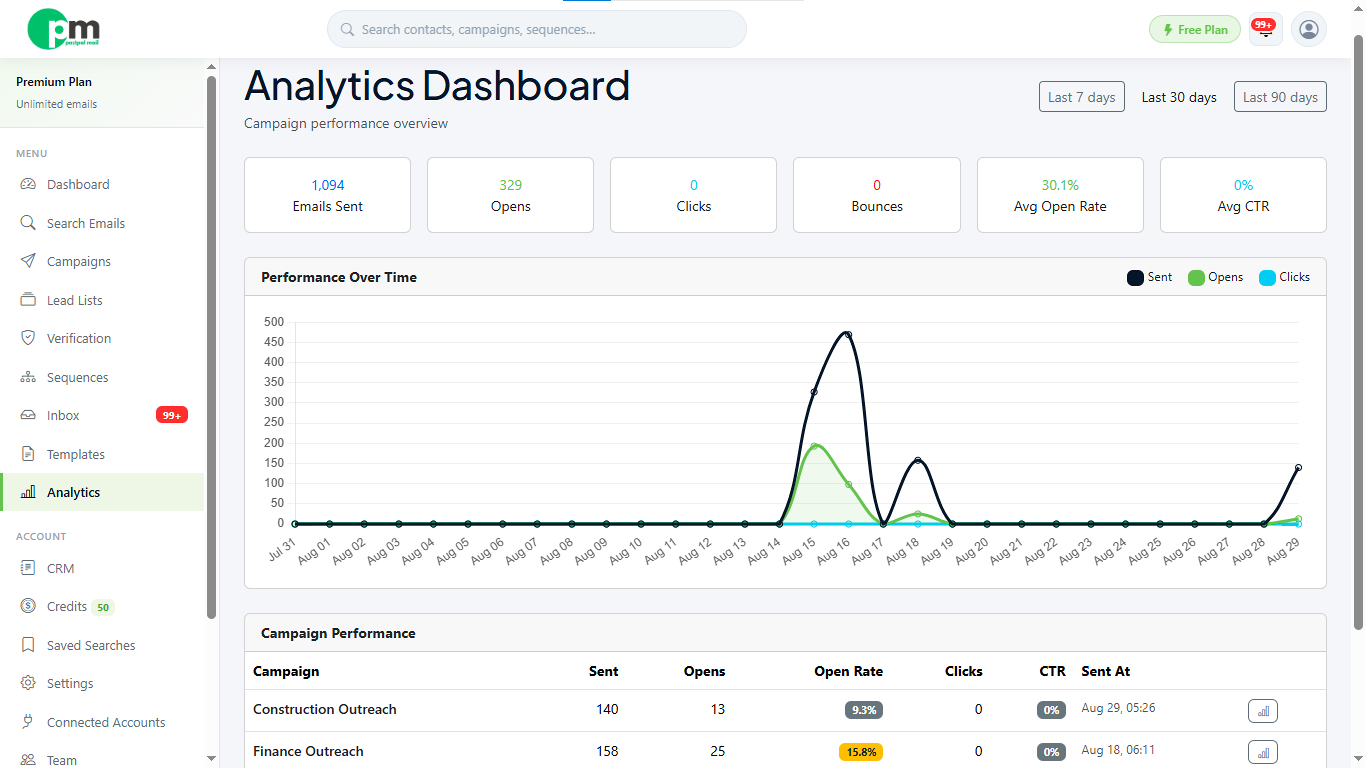
The Analytics page displays rates click rates and the performance of each campaign so you can see what works. Over time this allows you to learn which subject lines get opened, which templates generate replies and which lists perform best. As a result, every new campaign becomes a little smarter, than the one.
A Simple Example: From Zero to Your First Reply
Here is what the process looks like from start to finish for a brand- user. If you run a marketing agency and want to find new clients this is the path you will follow:
- You search for 'restaurant owners' in a specific country using the Search page
- You save 150 matching contacts into a new Lead List called 'Restaurant Leads'
- You run those contacts through Email Verification to remove any bad addresses
- You write one short, friendly email template offering your services
- You connect your Gmail account so the emails send from your real address
- You launch the campaign, and it sends safely in the background over the next hour
- Three days later, anyone who hasn't opened your email automatically gets a polite follow-up
- Replies start showing up in your Inbox, and you check your Analytics to see how many people opened your email
That is the process. No spreadsheets, no separate tools and no manual copy-pasting.
Do You Need to Be Technical to Use It?
No. Every part of PostPalMail is built for regular users, not developers If you can search something on Google fill a form. Click "Send" you already have the skills you need. There is no code to write no software to install and nothing to set up on your computer. Everything runs inside your browser.
How Much Does It Cost?
PostPalMail gives you a plan to start and you do not need a credit card. PostPalMail lets you try the platform, search contacts and look at the features before you decide whether to upgrade to a paid plan that gives you higher sending limits. It means you can test everything in this guide yourself at no cost before you commit to anything.
Conclusion
PostPalMail brings lead search, email sending, follow-ups, and tracking into one simple platform, so you don't need separate tools or technical skills to reach new customers. The best way to understand it is to try it yourself create your free account here and explore the dashboard, or continue with our next guide on setting up your account step by step.
Disclaimer: This article is for informational purposes only and is meant to help new users understand the PostPalMail platform. Features, pricing and sending limits may change over time. Always check the Pricing page, inside the PostPalMail platform for the latest details.