

You wrote a cold email. The subject line is clear. The offer
makes sense. The ask is small. You hit send on the sequence. Then nothing. No
opens. No replies. Not even a bounce notification. Chances are your email never
actually reached the inbox. Your email landed in spam. Worse your email got
filtered before the recipient’s mail server even delivered it.
This is the part of outreach that people don't talk about
enough. You can have the message in the world but if your emails aren't showing
up in the main inbox none of that writing is important. Getting your emails
delivered is the base that everything else rests on. It comes from a mix of
setup how you send emails and how good your list is. It's not just, about
having subject lines.
Why Deliverability Matters More Than the Pitch
Email providers like Gmail and Outlook are always checking
emails before a person ever opens them. They check the source of the email
whether it’s properly authenticated, how people have reacted to emails, in the
past and what’s actually inside the message. If too many of these clues seem
strange or suspicious the email might end up in the spam folder the promotions
tab or it may not show up all.
For outreach this is even more important than for a
newsletter because you are emailing people who have not given permission.
Mailbox providers are more doubtful about messages by default so there is less
room, for mistakes. Getting the basics right is not a choice if you want your
messages to actually get responses because the basics must be correct.
Get the Technical Foundation Right: SPF, DKIM, and DMARC
Three settings do most of the
lifting for authentication. If the sender is sending email at any real volume
all three settings should be, in place before the sender sends a single
message.
•
SPF stands for Sender Policy
Framework. It helps receiving servers know which mail servers are allowed to
send email using your domain. This makes it harder, for someone to fake your
email address and send messages that look like they come from you.
•
DKIM adds a signature to your
emails. This signature makes sure the message was not changed during transit.
It also proves that the email really came from your domain.
•
DMARC tells receiving servers what
to do when an email fails SPF checks or DKIM checks. DMARC also gives you
visibility into who's sending mail using your domain.
These aren't extras. Most major providers now expect all
three to be configured correctly for anyone sending in bulk. If you're not sure
whether yours are set up it's worth checking with whoever manages your domains
DNS records before you scale up any campaign.
Warm Up Your Domain and Protect Sender Reputation
A brand-new domain or inbox
starts with no sending history. Mailbox providers see this as a risk signal. If
you send a few hundred emails, in one day right after starting even if the
emails are perfectly good, you're much more likely to get flagged.
Warming up is about adding
emails to send slowly. You begin with an email each day and then increase the
number a little each week. You keep an eye on how people reply so engagement
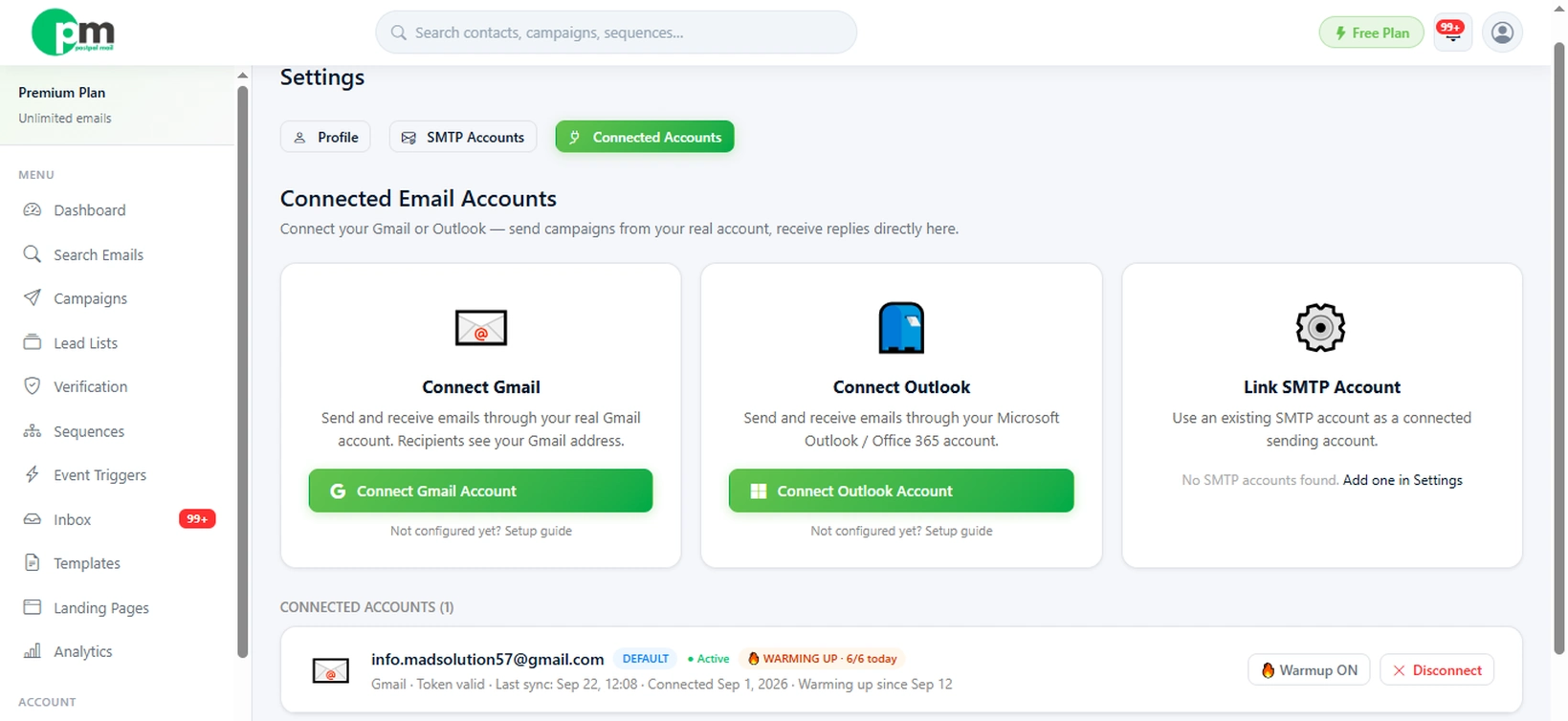
stays good. PostPalMail takes care of this warm‑up automatically. PostPalMail’s
warm‑up feature lets new accounts grow their email volume, on a schedule
instead of guessing how many to send each day. Warming up this way keeps your
account safe and healthy.
Once you are warmed up keeping that reputation safe becomes
something you have to do all the time. Make sure the number of bounced emails
stays low. Make sure people don't complain about spam. Watch out for jumps, in
the number of emails you send. Reputation is built slowly. Can be lost fast.
That is why it is important to take it seriously as the message you are
sending.
Clean Your List Before You Send a Single Email
Sending to addresses is one of
the quickest ways to hurt the ability of your emails to get through. Every time
an email doesn't reach the person it sends a message to the companies that run
email services that you are not taking care of your list. If too many of these
happen in a time your domain can be marked as problematic.
This is why verifying your list
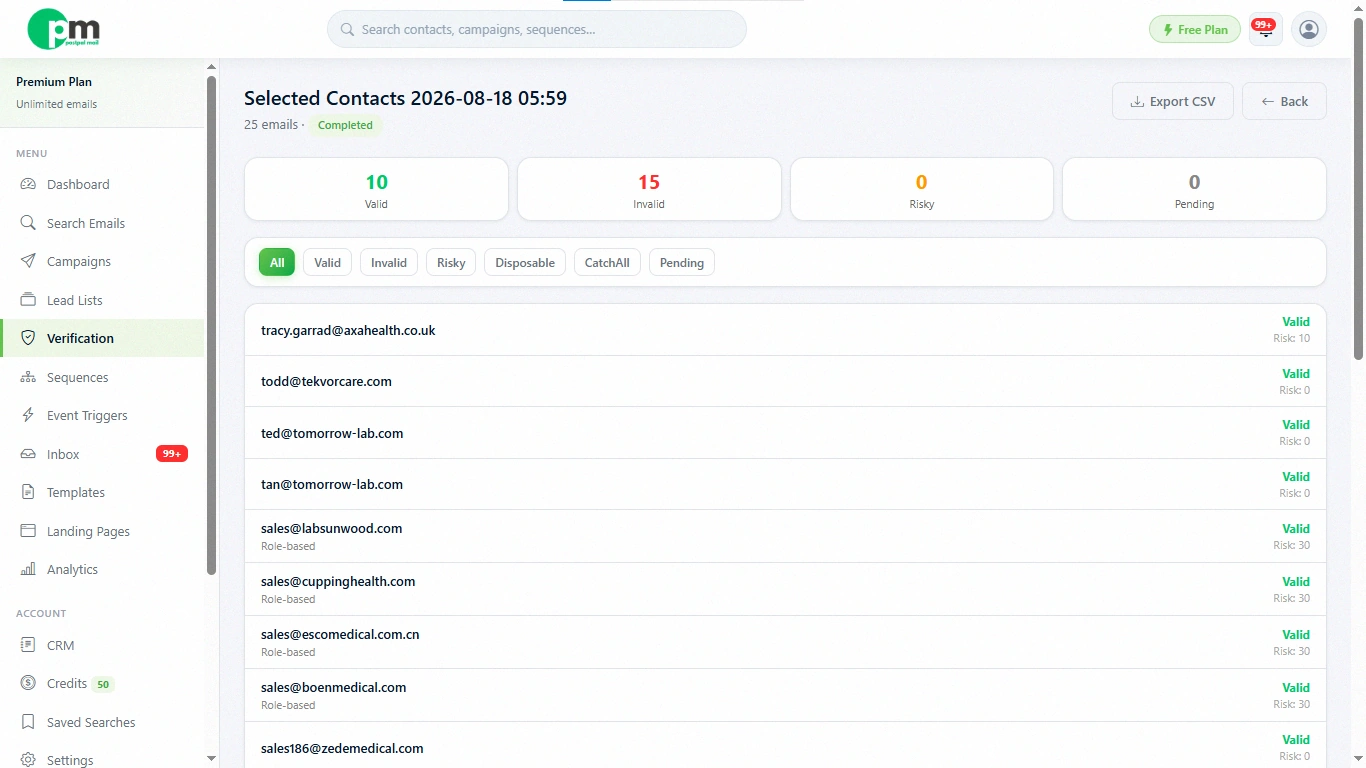
before a campaign matters more than most people realize. When you run your lead
list through PostPalMails verification feature before launching a sequence you
catch risky or disposable addresses ahead of time. This means you are not
burning sender reputation, on emails that were never going to land. Verifying
your list is a step that saves a lot of damage control later.
Write Content That Doesn't Trip Spam Filters
Spam filters have become better
over the years. They still react to some very easy to guess signs inside the
email.
- Don't fill the email with many links, especially short ones or ones that look strange. One clear link is usually enough.
- Avoid using lines that are all in big letters too many exclamation points and words, like "free," "guarantee," or "act now" that filters have started to recognize as spam.
- Keep formatting simple. Heavy HTML, large embedded images, or email-builder templates can look more like a mass blast than a personal message.
- Write like you're emailing one person, because you are. Short, plain-text-style emails with real personalization tend to perform better on both filters and humans.
Control Your Sending Behavior
How you send matters almost as
much as what you send. Blasting a few thousand emails from one inbox in a
single hour is a strong spam signal, no matter how clean your list is.
Spreading sends across multiple
connected accounts and pacing them out over the day mimics how a real person
sends email, which is exactly what mailbox providers want to see. PostPalMail's
sequences let you build in delays between emails and steps, and connecting
multiple accounts through the platform means you're not relying on a single
inbox to carry your entire sending volume. Splitting volume, in this manner
keeps each inbox’s reputation healthier and keeps the reputation of each inbox
stronger; it also lowers the chance that one bad batch will ruin the entire
outreach effort.
Keep an Eye on the Numbers
Deliverability is not something
that can be fixed one time and then forgotten about. Deliverability must be
watched carefully because the sender reputation changes as you keep acting not,
after a single setup.
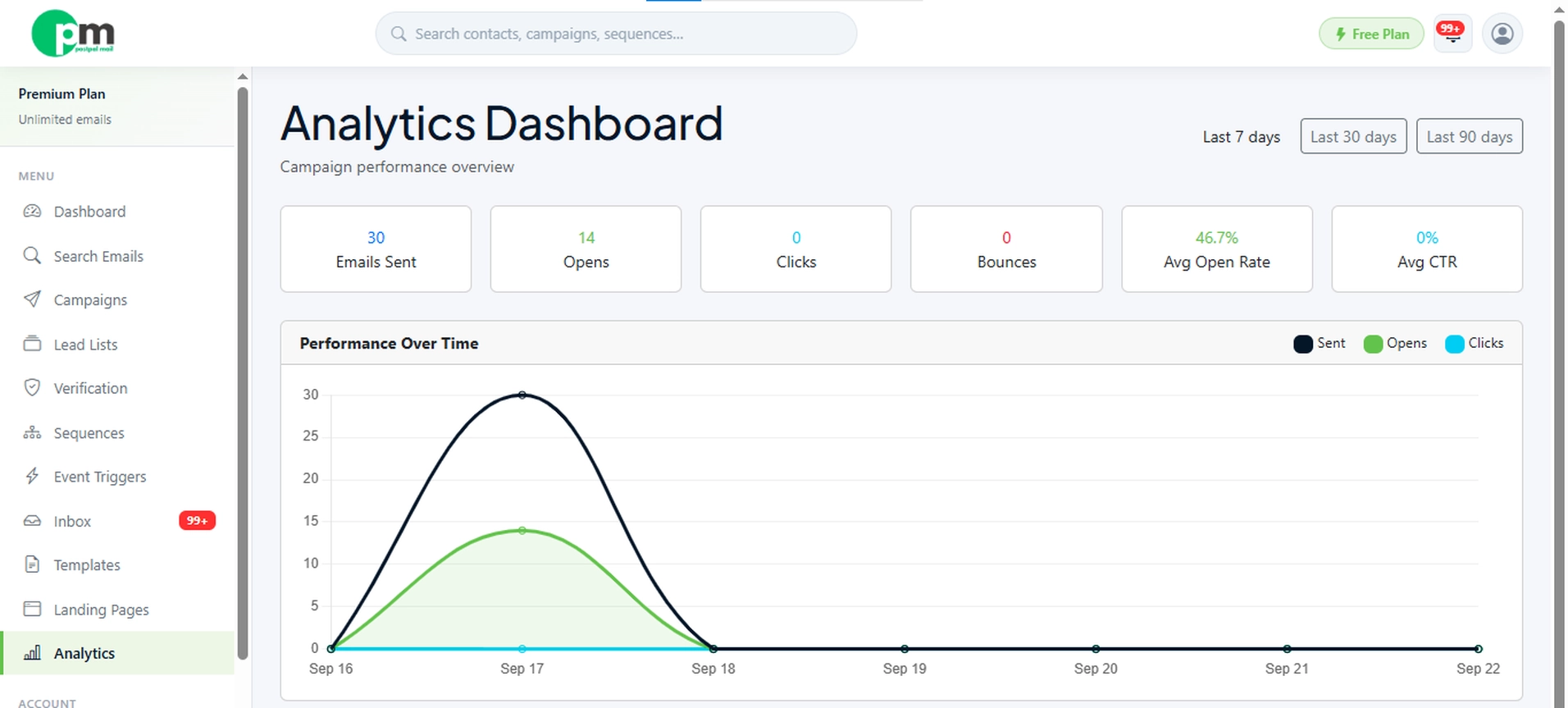
Keeping track of rates bounce
rates and reply rates over time helps me notice when something is off before it
becomes a bigger problem. A sudden drop in rates across a campaign for example
often points to a deliverability issue rather than a bad subject line. Reviewing
rates, bounce rates and reply rates regularly helps. In PostPalMails analytics
makes it easier to spot these dips early and adjust sending volume or list
quality before a campaign underperforms.
Common Mistakes That Quietly Kill Deliverability
Some habits keep appearing again in outreach that has trouble getting into the inbox.
- Habits of buying or scraping lead lists without verifying them drive bounce rates up quickly.
- Habits of sending the same email to hundreds of people with zero personalization hurt inbox chances.
- Habits of ignoring unsubscribe requests or making it hard to opt out raise spam complaints.
- Habits of reusing a domain that has already been flagged for spam without fixing the reputation problem cause trouble.
Conclusion
Deliverability isn't something
you check once. Then ignore. It's a part of making cold outreach work. You have
to focus on lists, proper authentication, reasonable sending volume and content
that sounds like it came from a real person. Each of these pieces isn't hard,
by itself Leave out one and the work can quietly ruin all the other work that
the work has done.
The good news is that most of the work can be done inside one process. Checking your list sending messages across accounts controlling the timing of messages and looking at your data are all things you can do without handling five different programs. Begin with your campaign: check the list first look at your authentication records and watch the numbers as it sends. Small regular actions here lead to more replies, in the long run.
Disclaimer
This article is intended for
general informational purposes and reflects deliverability practices as
commonly understood at the time of writing. Email provider algorithms and spam
filtering criteria change over time, and results can vary based on your domain
history, industry, and list quality. This is not a guarantee of inbox
placement.